



LEARN MORE



Adding Old Business Agenda Item to the Agenda
Applies to:
- Admin Assistant (dedicated support for committee)
- Committee Co-Chair (a worker and an employer)
STEPS
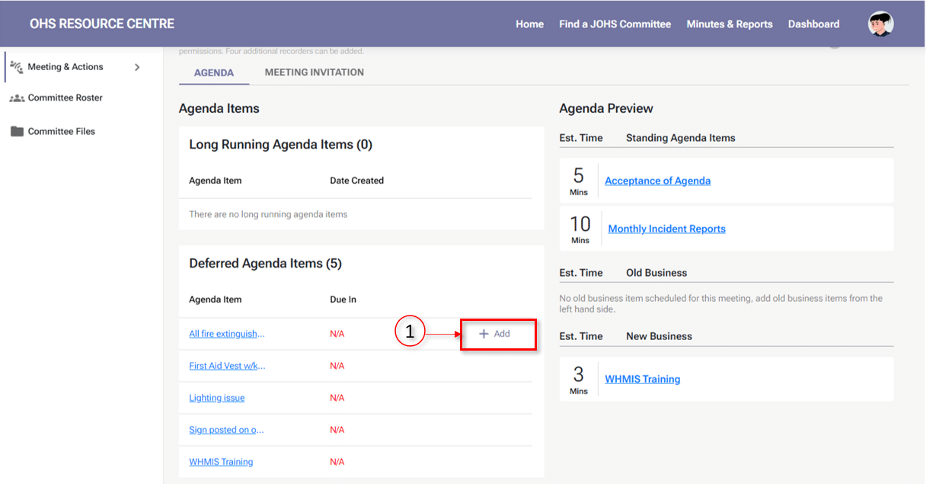
- To add a deferred or long-running agenda item to the meeting, go to the ‘Draft Meeting Agenda’ or ‘Edit Draft Meeting Agenda’ screen and click the ‘+Add’ button (Screenshot number 1) for the agenda item you want to include.
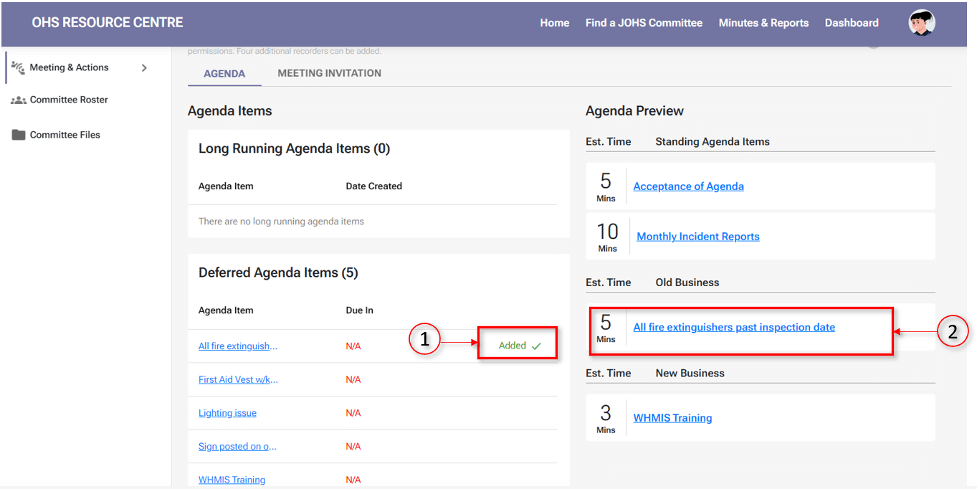
- The deferred or long-running agenda item will automatically move to the ‘Agenda Preview’ section under Old Business (screenshots 2 and 3).
Note
- The long-running and deferred agenda items will appear in the old business at the start of meetings.
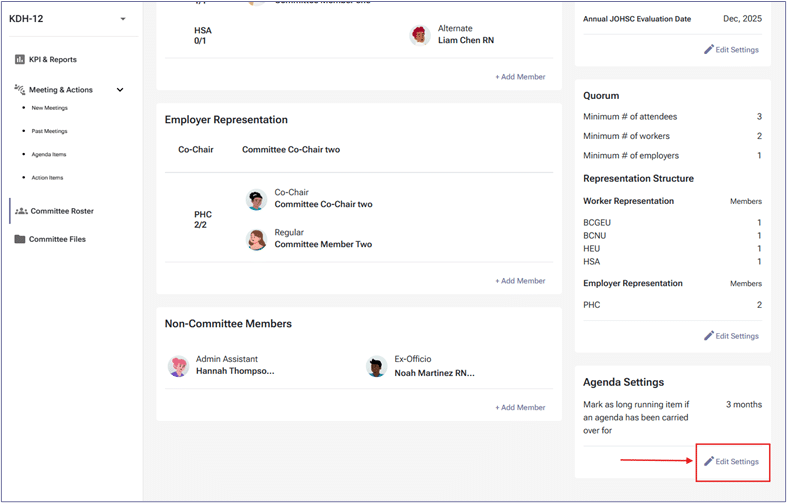
- Long-running agenda items are items discussed or postponed for months and not closed. The number of months can be configured in the committee roaster tab, as shown in the screenshot below.
- Deferred agenda items: issues that were previously discussed but not resolved, need further attention in the upcoming meeting, but do not exceed the number of months to become a long-running agenda item.
- All deferred agenda items will auto-populate to the agenda that is deferred to.
- Agenda items (Standing, Old, New Business) can be reordered by dragging, and the sequence will be saved for future meetings until you make further changes. Files for Old Business Agenda items can be added or removed during the draft or suggestion phase, as well as at any time from the Agenda Item Library. This can be done by Admin Assistants, Co-chairs, Members (Regular/Alternate), and Ex-officio members to support greater flexibility and efficiency in managing supporting documents across all meeting phases.