



LEARN MORE



Create your JOHSC
Applies to:
- Employer Practitioners
STEPS
- Sign in with your employer practitioner account.
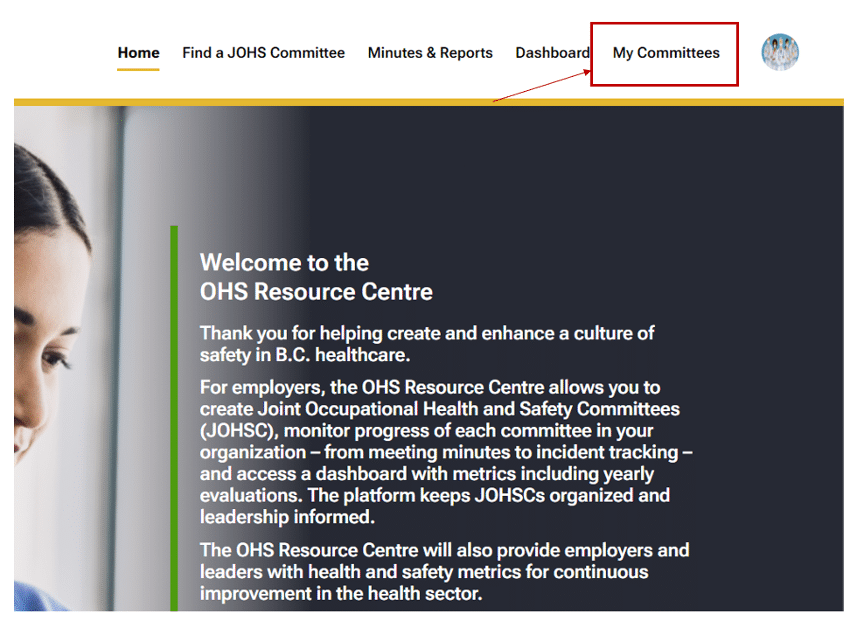
- On the header of the page, click on the ‘My Committees’ tab.
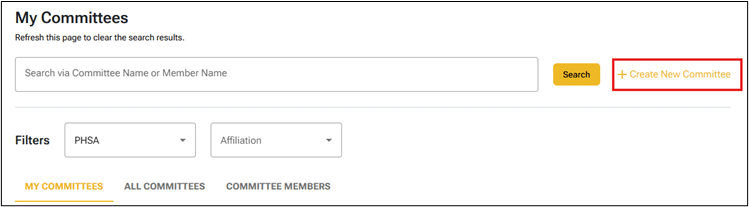
- Before creating a new committee, check if the committee has already been created. Type the name in the ‘Search via Committee Name or Member Name’ box, and click the ‘Search’ button.
If, after searching, you are still uncertain, contact the Support Desk for help.
- If the committee does not yet exist, click on the ‘+ Create New Committee’ link
- On the next screen, enter or select the operating employer, committee name/site, multiple employer option*, and click the ‘Next’ button.
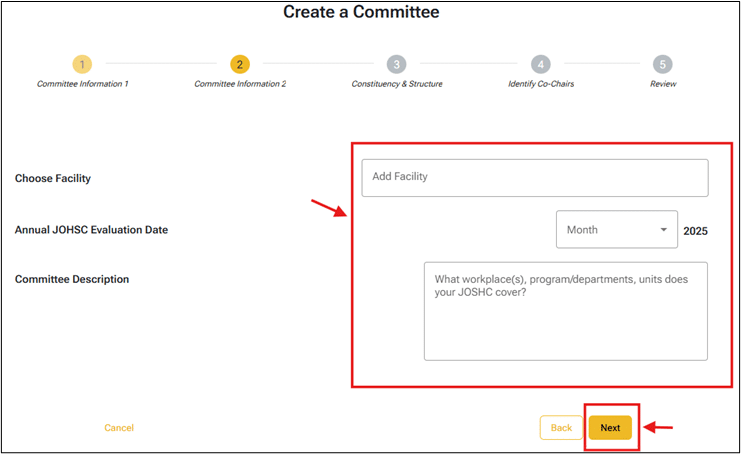
- On the next screen, enter the facility, the evaluation date, and the committee description, and then click the ‘Next’ button.
Note
- The above fields are not required to create a committee; you can update them afterward.
- For health authorities, the facilities field is a dropdown list.
- For Vancouver Coastal Health, Interior Health, and Providence Health Care, the system will show an additional field (Cost Center) in the dropdown list.
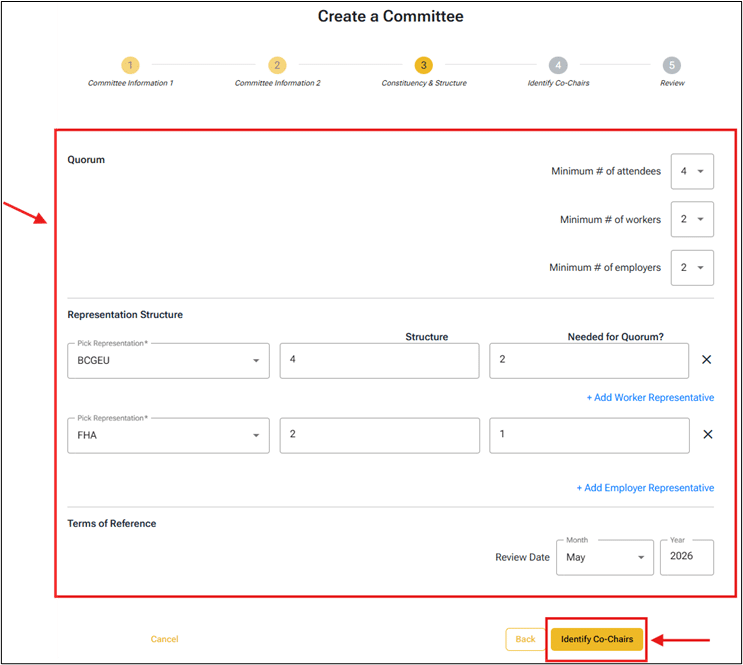
- Enter quorum, representation structure and the review date for the terms of reference, and then click the ‘Identify Co-Chairs’ button.
Note
- If possible, set up the quorum and representation structure before creating a recurring meeting, as this can affect how the meeting functions.
- Click the ‘+ Add Worker Representation’ or ‘Add Employer Representation’ links to update the representation structure.
- The representation structure cannot be empty before adding members to the committee because the ‘Affiliation/Employer’ field will be blocked in the ‘Add Member’ screen, and you will not be able to complete the add a member process.
- The “Alternate Positions” field is optional. Use this field when an affiliation needs a set number of alternate positions. If a value is entered into this field, any vacancies will be reflected in the JOHSC KPIs.
- The “Needed for Quorum?” field is also optional. Use it to define more specific quorum rules — for example, if a certain union or employer representative must be present quorum to be met.
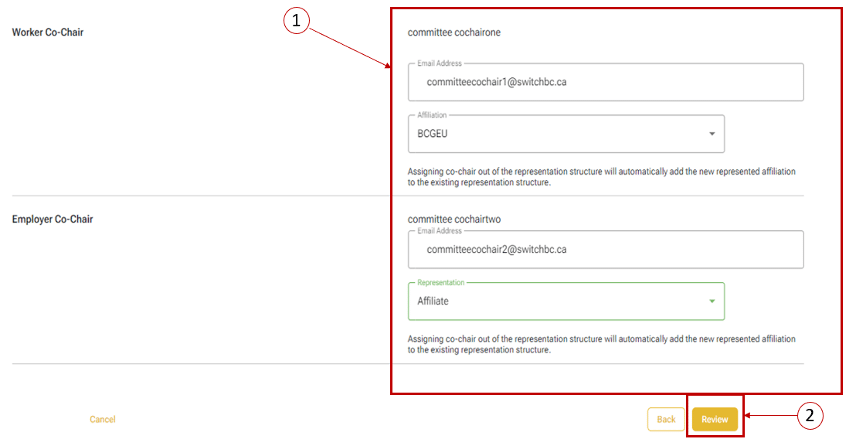
- On the next screen, enter the Worker Co-Chair and Employer Co-Chair’s email addresses, then select the representation or employer/affiliation options, and then click the ‘Review’ button.
Note
- For non-health authority members, the email address must have been registered with the OHS Resource Centre.
- The email address cannot be a System Administrator, Union Practitioner, or Employer Practitioner role.
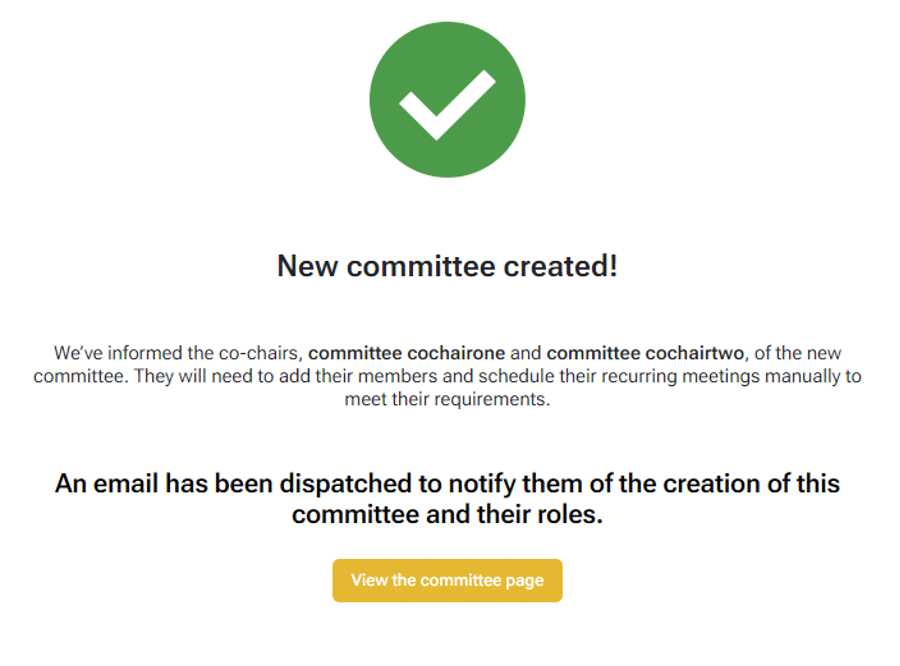
- Review the information entered and click the ‘Create Committee’ button. Once the committee has been created, the Co-Chairs will be notified by email.